

Free Safety Cross and SQDC Templates (PDF and Excel) for Lean Daily Management
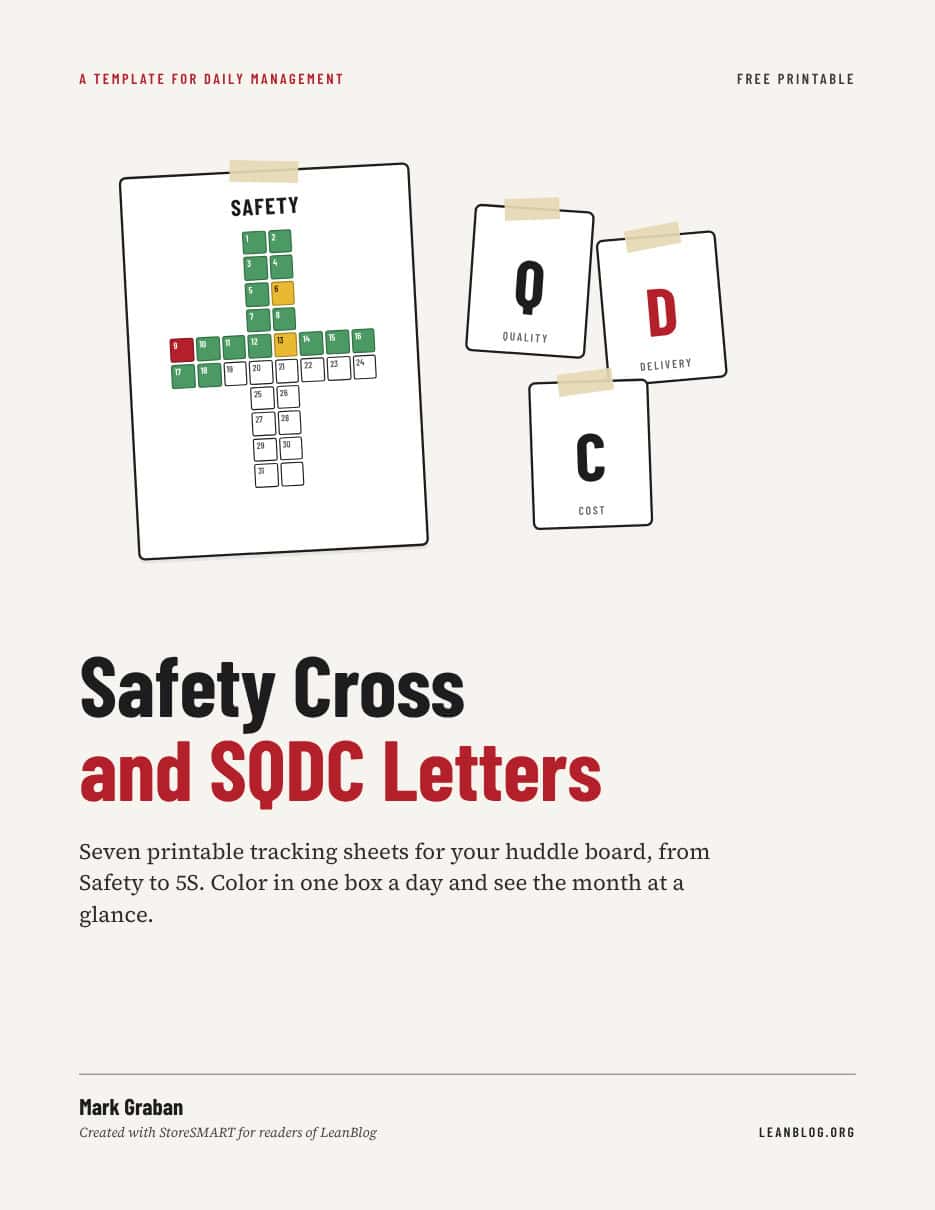
Free download: a printable safety cross template and SQDC letters for your huddle board, with seven sheets: Safety, Quality, Delivery, Cost, Productivity, Inventory, and 5S. Each sheet has a box for every day of the month, so the team can color in how each day went and see the pattern at a glance. New: a free Excel tracker comes with it.
Get the free letters (PDF) and Excel tracker
Enter your name and email, and the download links appear right away: the printable letters and the Excel tracker. We'll email you a copy of the links, too.
The letters were created by StoreSMART, a long-time partner of this blog. See their products for Lean metrics boards, visual management, and 5S.
When I visit hospitals and work with them, I often see boards in different departments, with some variation of practices that are often called “Lean Daily Management” or something similar.
One core idea of Lean management is that we don't rely on monthly reports, data, and metrics. Monthly metrics create slow cycles of learning and improvement. This is especially true when the monthly reports aren't available for many weeks after the end of the past month.
Daily management boards, aka “huddle boards,” often have different ways of tracking daily performance.
See one board from a recent visit in an American hospital:
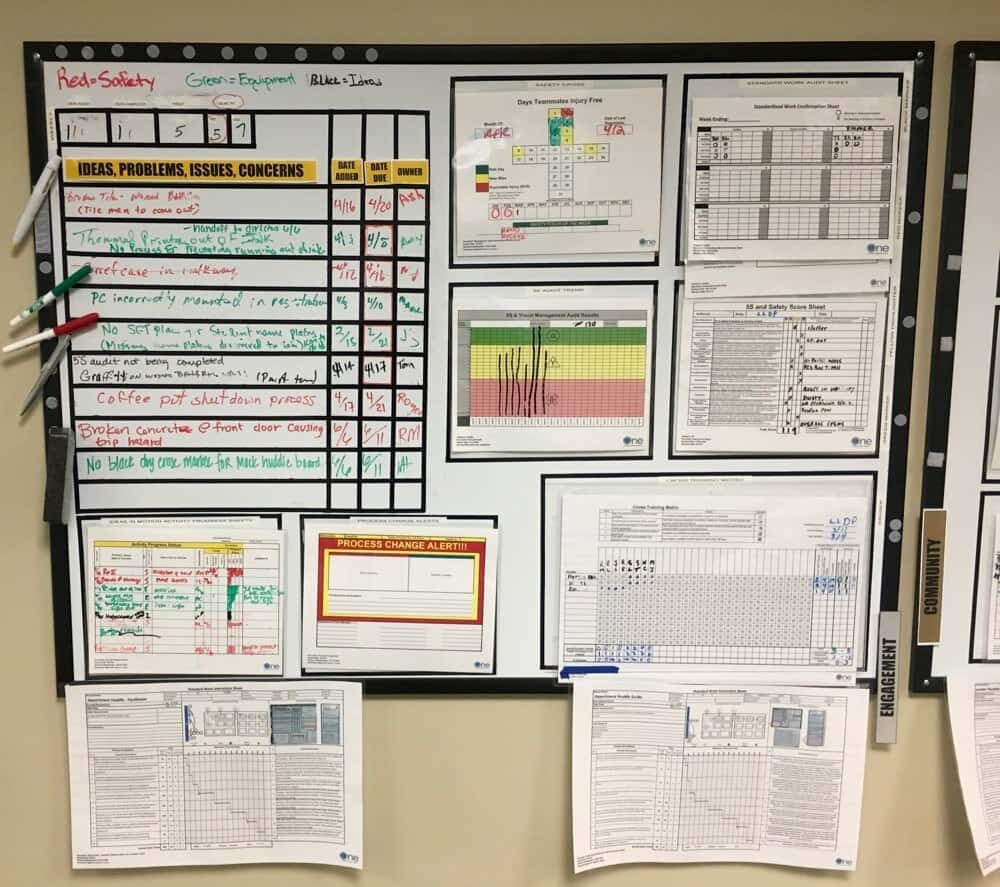
In the middle, with the green, yellow, and red zones, there's a chart that tracks (in this case) 5S audit scores. I think these were monthly scores. I've often seen similar hand-drawn charts that track the number of discharges before a certain time or some other metric that can be tracked locally on a daily basis.
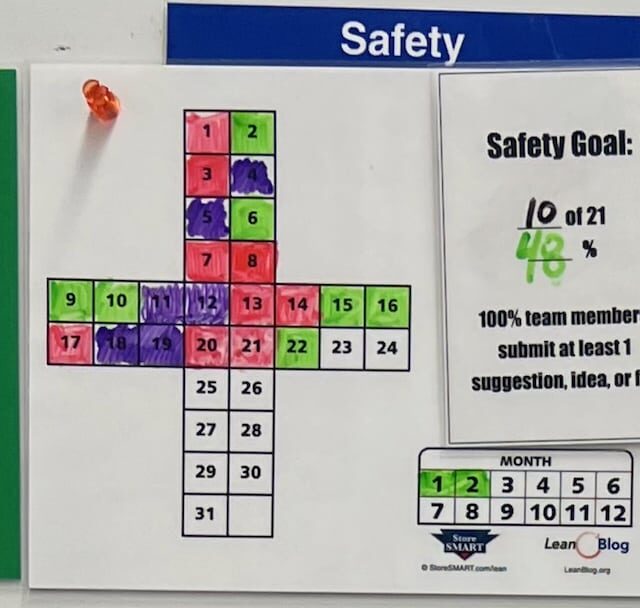
In the top center of the photo, you see what's often referred to as a “safety cross.”
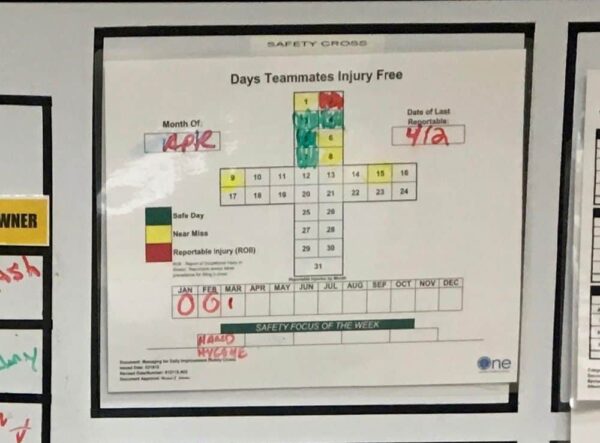
This is meant to be filled in daily:
- Red = reportable injury
- Yellow = near miss
- Green = “safe day”
Unfortunately, a “safe day” could possibly mean “nothing was reported.” Some organizations use blue to indicate that a safety improvement was made.
As a manager, you'd want to make sure this is being tracked daily. As a visitor, it was unclear to me why the days from the 10th to the 14th weren't filled in.
Any near miss or incident should, of course, drive root cause analysis and systemic corrective action — not blaming individuals or falling back on weak countermeasures like “re-training.”
Unfortunately, I've seen many of these daily tracking sheets fall into not being used. I visited this hospital in June and they had the April safety cross up. What message is that sending to staff?
Anyway, sorry to be negative… that was the most recent example I had handy.
This method of tracking, engagement, and improvement IS very useful… but only if managers and leaders at all levels are willing to exhibit the right behaviors and mindsets.
If you'd like to experiment with this method, StoreSMART has graciously provided a free PDF download for you that includes more than just a “safety cross.”
The PDF includes seven letters, plus tips for using them:
- Safety
- Productivity
- Delivery
- Quality
- Inventory
- 5S
- Cost

You can print them and put them on your board each month. Or, you could laminate it and re-use it… but I'd encourage you to track performance over time in some way so that the data you collected over a month doesn't get lost. The free Excel tracker does that for you.
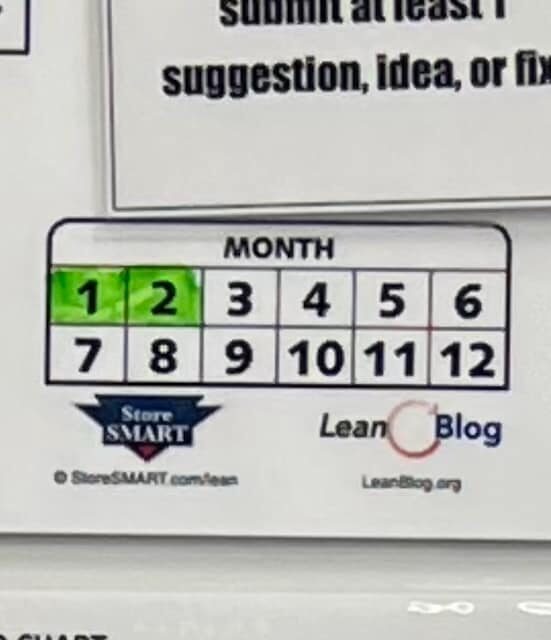
Here are two photos of these letters being used in an American manufacturing facility:
Free Safety Cross Excel Template (SQDC Tracker)
Paper on the wall works. But if your board also lives on a screen, or you want to keep the data instead of taking last month's sheet down and tossing it, use the free Excel tracker. It comes with the letters, through the same form.
- Type once, see it everywhere. Enter G, Y, R, B, or X for each day on one Board tab. The safety cross and the Q, D, C, P, I, and 5S letters color themselves in.
- % green that means something. Days off (X) are left out, so a weekend never looks like a good day.
- Wall View for a TV or monitor in the huddle area.
- Causes and a Pareto chart. Pick a cause for each red or yellow day, and the Causes tab shows what drove them, tallest bar first.
- A Year tab that keeps the month-to-month trend.
- Your metrics, your labels. Rename them for SQCDP, SQDCM, or whatever your board uses. Every tab prints on one page.
Start on the Instructions tab. It covers setup, the daily routine, and what to do at the end of each month. The tracker is built for Microsoft Excel (desktop and Microsoft 365).
One caution, same as on paper: a month of green can just mean nothing got reported. The count of green days isn't the point. The conversation about the red and yellow ones is.
Get the letters and the Excel tracker
What do you think about this method? Do you use it in your organization? What are your tips or lessons learned? Leave a comment below.
Download the letters and the Excel tracker now:
Making Daily Management Actually Work
The real value of safety crosses, SQDC letters, and daily performance sheets isn't the templates themselves–they're just visual aids. What matters is how leaders and teams use them. When boards are updated consistently, reviewed together, and tied to real problem-solving, they create fast learning cycles and keep improvement grounded in the actual work. When they're ignored or allowed to go stale, they send an equally powerful message about priorities.
If you're experimenting with daily management or trying to revive a board that has gone quiet, keep it simple. Start with one or two metrics that matter. Review them at the same time each day. Treat every red or yellow box as an opportunity to understand the system rather than to blame individuals. And make sure leaders show up–not just physically, but with curiosity and support.
These tools can strengthen accountability, safety, and engagement, but only when paired with the right behaviors. If you want help building those routines or aligning them with your broader Lean culture, I'd be glad to support that journey.
Bring Lean thinking to healthcare
In Lean Hospitals: Improving Quality, Patient Safety, and Employee Engagement, I explain how hospitals use Lean to reduce delays and errors and to engage the people who do the work. It is a Shingo Publication Award recipient, now in its third edition.






Mark,
Fantastic content, as always. Is the Safety Cross Excel Template (SQDC Tracker) still available or has it been discontinued? This is one area we continue to work on – daily huddles with these discussions for virtual or hybrid teams, or for teams who want it up on a screen (fancy!). Many thanks for all you do and give to all of us.
Thanks, Lauren! Good question, and you caught me mid-update. The Excel version is new, and I hadn’t added it to this post’s download yet. I sent it to you directly, and I’ll get it added here so others can grab it too.
I like your point about virtual and hybrid teams. A whiteboard on the wall doesn’t help much when half the huddle is on a screen. If you try the Excel tracker with your teams, I’d love to hear what works and what you’d change.